
Shopify ADA compliance is your responsibility, not Shopify’s. Most store owners find this out when a demand letter shows up.
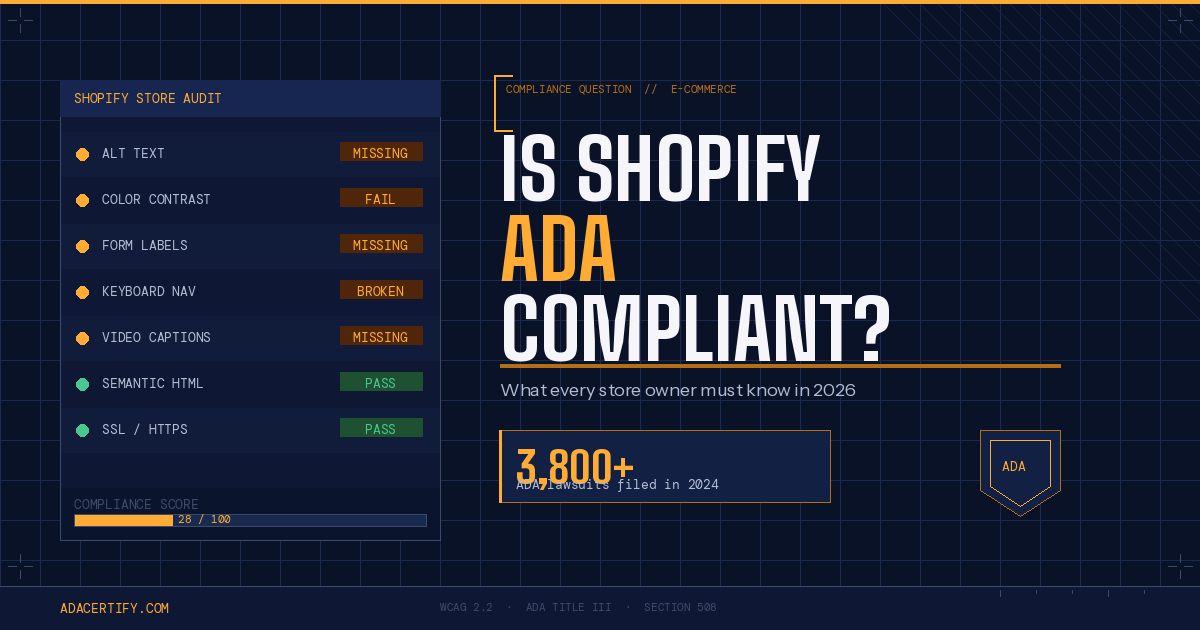
The platform has accessible features in its core code. But whether your store is actually ADA compliant depends on your theme, your images, your forms, and how you’ve set everything up. In 2024, over 3,800 ADA website lawsuits were filed in U.S. courts, and e-commerce was one of the most targeted sectors. Here’s what actually matters for your store.
What this covers:
- Whether Shopify itself is ADA compliant
- The 5 most common violations on Shopify stores
- How to check your store today
- What to fix first
- What compliance actually protects you from
Is Shopify itself ADA compliant?
Shopify follows web accessibility standards in its core code. Default themes use semantic HTML and support keyboard navigation. That’s good baseline work.
But Shopify’s accessibility does not transfer to your store automatically.
If someone files an ADA complaint, they’re suing you, the store owner, not Shopify. The DOJ has confirmed that websites serving the public are subject to ADA requirements, and courts have backed that up across thousands of cases.
What makes a Shopify store not ADA compliant?
Most issues trace back to five things:
Images without alt text. Every product photo, banner, and graphic needs a text description so screen readers can relay it to blind users. Shopify makes it easy to add. Most stores skip it entirely.
Low color contrast. WCAG 2.2 requires a contrast ratio of at least 4.5:1 between text and background for normal-sized text. Many popular Shopify themes fail this out of the box.
Unlabeled form fields. Your checkout, contact, and signup forms need properly coded labels on every field. Without them, screen readers can’t tell users what to type or where they are in the process.
Videos without captions. Product demos, brand videos, homepage loops all need closed captions. Users who are deaf or hard of hearing have no access to that content without them.
Inaccessible third-party themes. Theme quality varies a lot. Some have broken keyboard navigation. Some use color alone to signal important information, which is a direct WCAG failure and one of the issues plaintiffs look for.
How do you check your Shopify store for ADA compliance?
Start free. WAVE by WebAIM and Google Lighthouse both surface common issues in a few minutes. They catch roughly 30-40% of real WCAG violations though. The rest requires a deeper look at your actual pages, images, and forms.
For a full-site picture, AdaCertify’s free scan runs an AI audit across every page and flags exactly what needs fixing. You get a clear report instead of a list of technical warnings that don’t tell you what to do next.
What should you fix first?
Three issues show up in the majority of ADA demand letters targeting e-commerce stores:
Missing alt text on images. Unlabeled form fields. Broken keyboard navigation.
Fix those first. Then work through your theme and video content. Going in this order gets you out of the highest-risk territory fast without needing to overhaul your entire store at once.
Does being ADA compliant mean you can’t get sued?
No. Nothing removes all legal risk. But documented compliance efforts change the situation considerably.
Stores with scan records, fix documentation, and a published accessibility statement are much harder targets. A demand letter against a store with evidence of good-faith work is a weaker case than one against a store with nothing on file. Most plaintiff attorneys know this and factor it into who they go after.
The WebAIM Million 2025 report found that 95% of the top one million homepages still had detectable WCAG failures. Most stores are not doing the basics. Doing them puts you in a much smaller, much safer group.
Run a free scan on your store today and see exactly where you stand before someone else points it out.