
Lets talk about it: Is Webflow ADA Compliant?
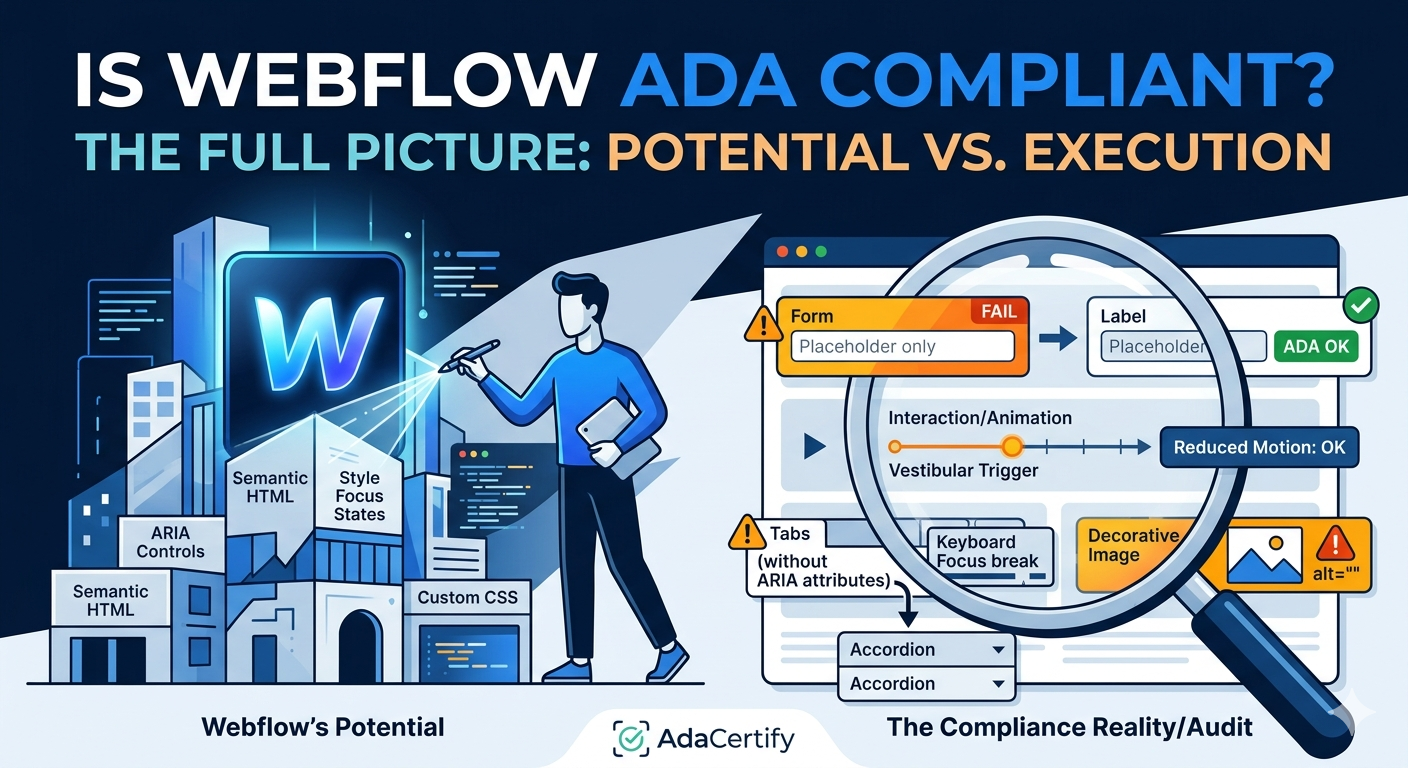
Webflow is the platform that developers and designers reach for when they want creative control without writing everything from scratch. It generates cleaner code than most visual builders, gives you direct access to ARIA attributes, and lets you style focus states properly. In terms of raw accessibility potential, it is ahead of the pack. But potential is not the same as compliance, and a surprising number of Webflow sites still fail WCAG 2.1 Level AA on things that should have been caught during design. Here is the full picture.
What Makes Webflow Different From Other Visual Builders?
Most website builders abstract away the underlying code so much that you have limited control over how the HTML is structured. Webflow does not do that. You can set heading levels explicitly, add ARIA labels and roles directly in the designer panel, control tab order, and write custom CSS for focus states. For someone who understands accessibility, Webflow is genuinely the best visual builder to work with.
The challenge is that all of that control only helps when you are deliberately applying it. A Webflow site designed without accessibility in mind can fail WCAG just as badly as one built on a less capable platform.
What Webflow Gets Right for Accessibility
- Semantic HTML output that lets you set heading levels, section elements, and landmark regions explicitly
- ARIA attribute fields built directly into the designer for every element
- Full CSS control including proper focus state styling for keyboard users
- CMS collections support native alt text fields for dynamic image content
- Clean code output that creates fewer unexpected conflicts with assistive technology
Where Webflow Sites Commonly Run Into Trouble
Custom Interactions and Animations
Webflow’s interaction system is one of its most popular features, and it is very easy to go overboard with scroll-triggered animations, parallax effects, and element transitions. These can create real problems for users with vestibular disorders, who experience dizziness or disorientation from motion on screen. WCAG 2.1 requires that motion can be disabled, but most Webflow interaction setups do not include a prefers-reduced-motion media query unless the developer specifically adds one. This is one of the most commonly overlooked compliance gaps on Webflow sites.
Forms That Use Placeholder Text Instead of Labels
Webflow gives you full control over how form fields are built, which is great in theory. In practice, a lot of designers use placeholder text instead of proper label elements because it looks cleaner. The problem is that placeholder text disappears the moment a user starts typing, leaving screen reader users with no way to know what a field is asking for. WCAG requires that form fields have associated label elements, not just placeholders.
Tab and Accordion Components
Interactive components like tabs, accordions, and dropdown menus built in Webflow frequently fail keyboard accessibility tests. If a user can only open a tab panel by clicking it with a mouse, keyboard users are stuck. These components need proper ARIA state attributes like aria-expanded and aria-controls to communicate their state to assistive technology, and most Webflow setups do not include these without custom code.
Decorative Images Without Empty Alt Text
Every image element in HTML needs either a descriptive alt attribute or an explicit empty alt attribute (alt with no value) to signal that the image is decorative. Designers using Webflow often add images for visual reasons without thinking about this distinction. Screen readers will either skip the image or read out the file name, neither of which is acceptable under WCAG 1.1.1.
How Do You Audit a Webflow Site Properly?
Because Webflow gives developers more control, auditing it well requires both automated and manual testing. Automated scanning will catch the obvious things like missing alt text, contrast failures, and form label issues. But the problems with custom interactions, ARIA implementation, and keyboard navigation require hands-on testing.
Start with AdaCertify to run an automated WCAG 2.1 Level AA scan of your live Webflow site. It surfaces issues in plain language with guidance on what to fix. After that, do a full keyboard navigation pass through every interactive component on the site and run a screen reader through your main user flows.
Is Webflow Better Than WordPress or Shopify for Accessibility?
For developers who are actively thinking about accessibility while they build, yes. Webflow gives you the tools to get it right in ways that WordPress themes or Shopify templates often cannot match. For non-technical users who are not thinking about accessibility while they design, the advantage disappears quickly.
You can compare how the other major platforms handle accessibility in our posts on WordPress ADA compliance and Shopify ADA compliance.
Fast Fixes to Improve Your Webflow Site’s Compliance
- Add a prefers-reduced-motion CSS block to every animation and scroll interaction
- Replace all placeholder-only form fields with proper associated label elements
- Add aria-expanded and aria-controls to every accordion and tab component
- Check every image element and confirm it has either a descriptive alt text or an empty alt attribute
- Verify your tab order matches the visual layout of each page
- Run a WCAG scan through AdaCertify to catch anything your manual review missed
Webflow is the strongest starting point among visual builders for developers who care about accessibility. But the finish line, which is full WCAG 2.1 Level AA compliance, still requires deliberate choices at every step of the design process. Start by knowing what gaps you currently have: run a scan at AdaCertify and you will have a clear picture of where to focus.