
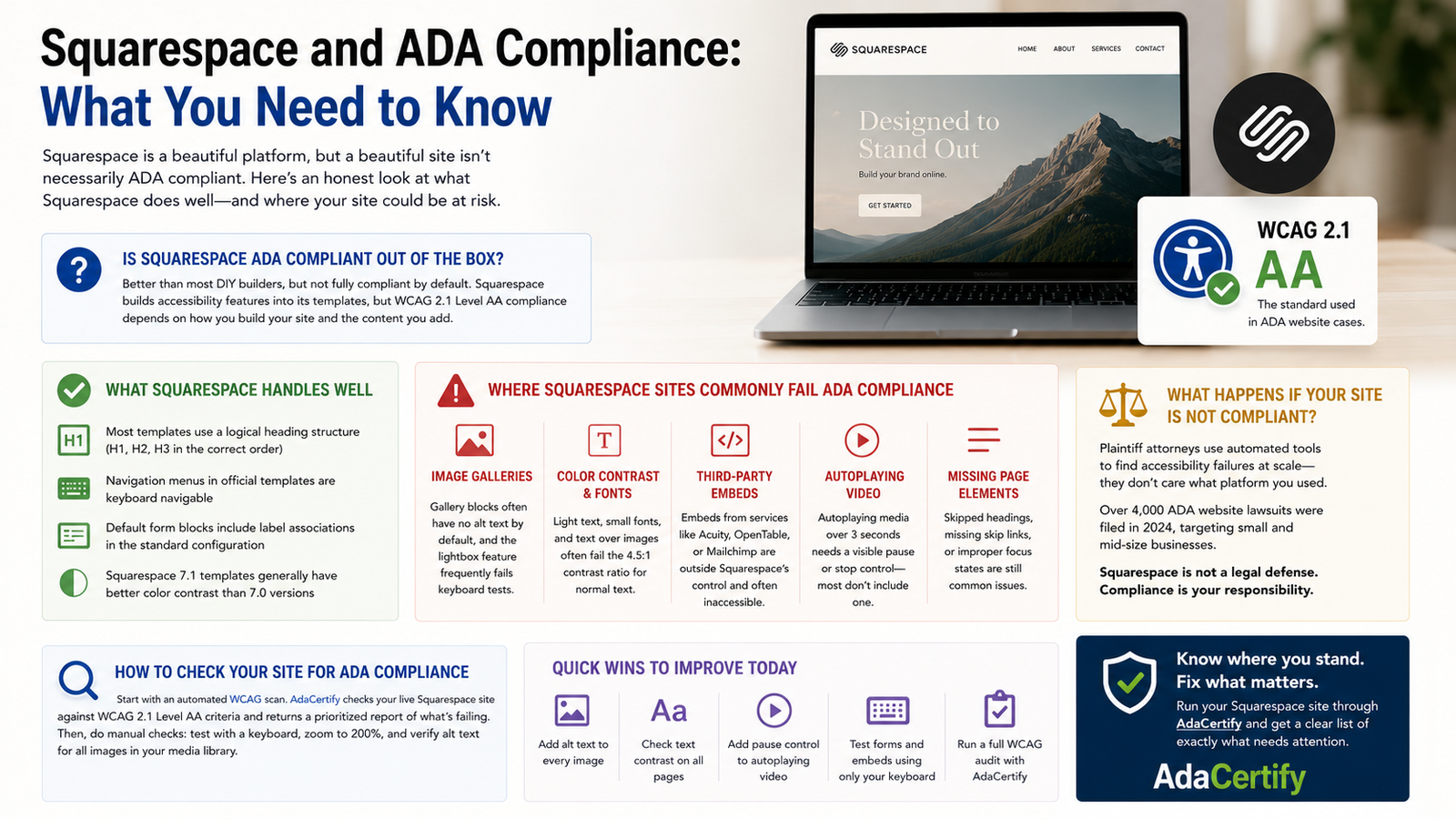
Squarespace is one of the most visually polished website builders on the market, and a lot of business owners assume that beautiful design and legal compliance go hand in hand. They do not. A site can look absolutely stunning and still fail every major WCAG accessibility test. Here is an honest breakdown of where Squarespace actually stands on ADA compliance, what it handles well, and where your site is most likely to have gaps.
Is Squarespace ADA Compliant Out of the Box?
Better than most DIY builders, but not fully compliant by default. Squarespace has published accessibility guidelines and builds some accessibility features into its templates. Most Squarespace templates use proper HTML heading hierarchies, and the navigation menus in official templates are keyboard accessible in most cases. That puts Squarespace ahead of a lot of competitors in terms of baseline structure.
But meeting WCAG 2.1 Level AA, which is the standard courts apply in ADA website cases, requires more than clean templates. It requires every piece of content on your live site to meet specific technical criteria. And that part is entirely up to you.
What Squarespace Handles Well
- Most templates use a logical heading structure with H1, H2, and H3 in the correct order
- Navigation menus in official Squarespace templates are keyboard navigable
- The default form blocks include label associations in the standard configuration
- Squarespace 7.1 templates generally have better color contrast than the older 7.0 versions
Where Squarespace Sites Commonly Fail ADA Compliance
Image Galleries
Gallery blocks are one of the most frequent compliance failures on Squarespace sites. Images within galleries often have no alt text by default, and the lightbox feature that opens when you click an image regularly fails keyboard accessibility tests. If you have a portfolio, a product gallery, or any kind of photo collection on your site, this is worth checking immediately.
Color Contrast and Font Choices
Squarespace’s design aesthetic leans toward elegant and minimal, which often means light gray text on white backgrounds, small decorative fonts, and text placed directly over photos. All of these are common WCAG 2.1 contrast failures. The minimum contrast ratio for normal body text is 4.5:1, and a significant portion of popular Squarespace designs do not reach that threshold.
Third-Party Embeds
If you have embedded a booking tool, an appointment scheduler, a payment form, or a newsletter signup from a third-party service like Acuity, OpenTable, or Mailchimp, that embedded content is not governed by Squarespace’s accessibility work. It is the third party’s code, and Squarespace cannot control whether it is accessible. These embeds are a very common source of WCAG failures on otherwise well-built Squarespace sites.
Autoplaying Video
Squarespace actively encourages the use of video backgrounds and autoplay video blocks because they look impressive. But WCAG 2.1 requires that any media which autoplays for more than three seconds needs a visible pause or stop control. Most Squarespace video background implementations do not include one.
What Happens If Your Squarespace Site Is Not Compliant?
The same thing that happens to non-compliant sites on any other platform. Plaintiff attorneys use automated scanners to identify accessible failures at scale, and they do not filter by which website builder you used. Squarespace being a reputable platform is not a legal defense. The question is whether your site meets WCAG 2.1 Level AA, full stop.
ADA website lawsuits against private businesses have been running at over 4,000 per year and primarily targeting small and mid-size businesses, not enterprise companies. If your site is public-facing and serves customers, you are in the risk pool.
How to Check Your Squarespace Site for ADA Compliance
Start with an automated WCAG scan. AdaCertify checks your live Squarespace site against WCAG 2.1 Level AA criteria and returns a report of what is failing, organized by severity. This gives you a prioritized list rather than a wall of technical jargon.
After the scan, go through the manual checks that automated tools cannot catch on their own: tab through your gallery blocks using only a keyboard, zoom your browser to 200% and confirm the layout still reads cleanly, and go through every image you have added to your site and confirm it has alt text in the Squarespace media library.
Quick Wins to Improve Your Squarespace Compliance Today
- Open every image block and add descriptive alt text through the image settings panel
- Check your text contrast on any page using light-colored text or text over photos
- Add a pause control to any autoplaying video, or switch it to click-to-play
- Test your contact form and any embedded scheduling tools using only your keyboard
- Run a full WCAG audit via AdaCertify to catch everything else
Squarespace gives you a genuinely solid foundation to work from. But compliance is not automatic on any platform, and the fixes are manageable once you know where to look. The first step is getting a clear picture of where you stand: check your site at AdaCertify and you will know exactly what needs attention.