
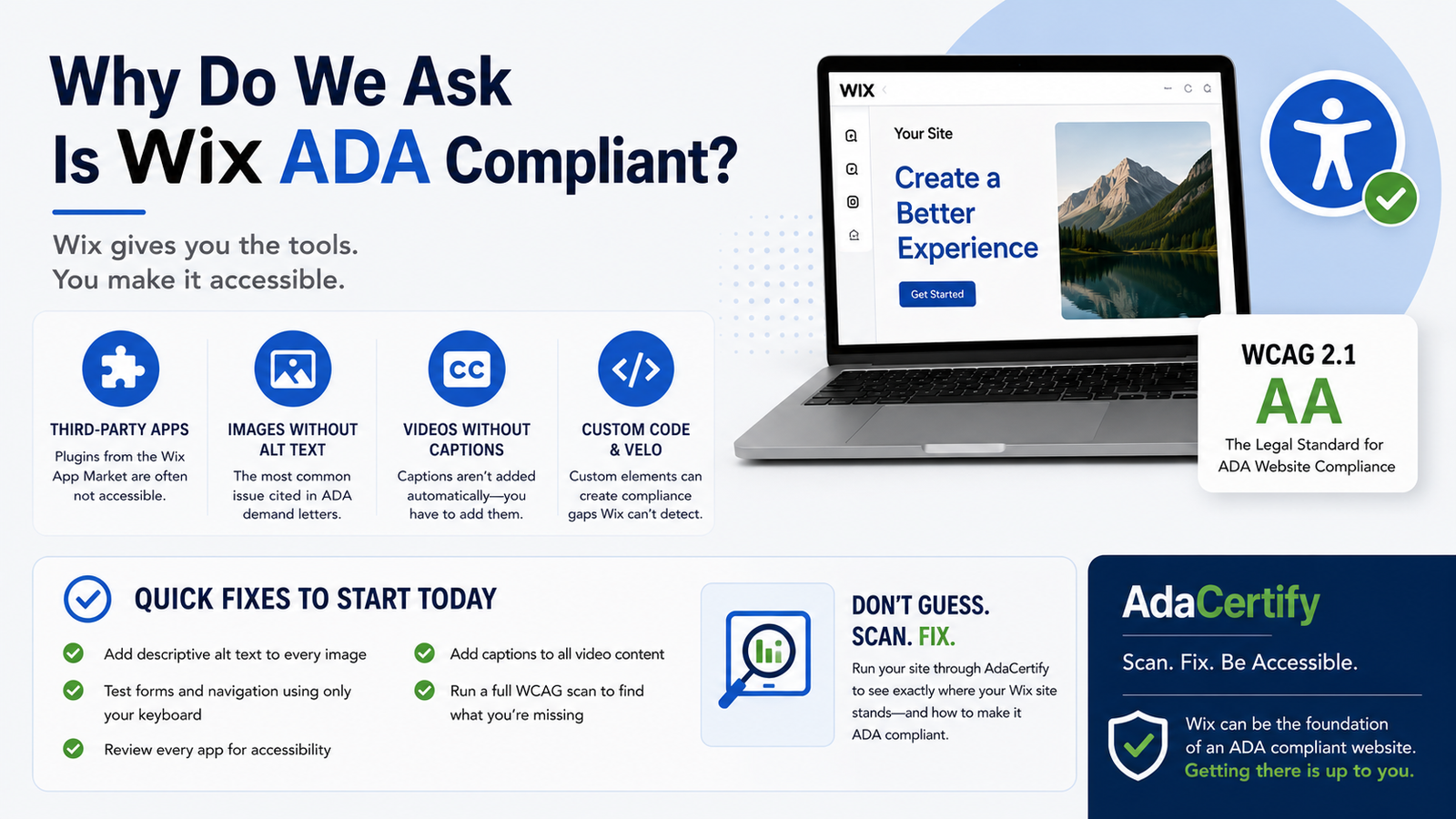
Why do we ask is Wix ADA Compliant?
Wix powers over 230 million websites around the world, and the vast majority of those site owners have never once thought about whether their site is ADA compliant. If that describes you, the honest answer is this: Wix gives you a solid foundation to build an accessible website, but it will not build one for you. The moment you start customizing your site with your own content, images, and third-party apps, compliance becomes your responsibility. Here is what you need to know.
What Does Wix Actually Do for Accessibility?
Wix has put real effort into accessibility since 2020. They have published an official Accessibility Statement, hired accessibility engineers, and built their native components including buttons, headings, and forms with ARIA attributes and keyboard navigation support. They also have an accessibility wizard inside the editor that walks you through common issues like missing alt text and broken heading structure.
That is genuinely more than a lot of platforms do, and it matters. The Wix editor produces reasonably clean HTML that screen readers can work with when the content itself is set up correctly.
So What Is the Problem?
The problem is that “built with accessibility in mind” is not the same thing as “your site is WCAG 2.1 Level AA compliant,” which is the legal standard used in ADA website lawsuits. Wix can build you the frame of an accessible house, but you still have to furnish it properly.
As soon as you start adding your own images without alt text, embedding third-party apps from the Wix App Market, or using custom code through Velo, you are introducing compliance gaps that Wix cannot detect or fix for you.
Where Do Wix Sites Most Often Fail ADA Compliance?
Third-Party Apps From the Wix App Market
This is the biggest risk area for most Wix users. The App Market has hundreds of plugins for things like booking, live chat, reviews, and e-commerce. Most of these are built by independent developers, and Wix has no control over how accessible they are. A booking calendar or chat widget from a third-party developer may have no keyboard navigation at all, or form fields with no labels, or modal dialogs that trap screen reader users. When you add one of these apps to your site, you inherit its accessibility problems.
Images Without Alt Text
Wix does not require you to add alt text when you upload an image. It is entirely optional, which means most people skip it. This is a problem because missing image alt text is the single most cited issue in ADA demand letters. Every product photo, team headshot, and blog header image on your site needs a descriptive text alternative so screen reader users know what they are looking at.
Videos Without Captions
If you upload native Wix video content, adding captions is your responsibility and they are not added automatically. If you embed YouTube or Vimeo videos, the captions from those platforms may help, but auto-generated captions do not reliably meet WCAG standards without being reviewed and corrected.
Custom Code and Velo
If you have used Wix’s Velo platform or added custom JavaScript to your site, that code is completely outside Wix’s built-in accessibility features. Popups, custom sliders, dynamic content, and interactive elements built with custom code all require manual accessibility implementation from whoever wrote the code.
What Are the Legal Risks for Wix Users?
Being on a popular platform like Wix does not protect you legally. If anything, it makes you a more predictable target. Plaintiff attorneys use automated tools that scan large numbers of websites for common accessibility failures, and they know exactly what kinds of problems to look for on Wix sites because the failure patterns are consistent across the platform.
The legal standard in ADA website cases is WCAG 2.1 Level AA compliance. If your site does not meet it, the fact that you built it on Wix is not a defense. We covered how the same dynamic plays out on WordPress and Shopify as well if you want to compare across platforms.
How Do You Actually Check if Your Wix Site Is Compliant?
Do not rely solely on the Wix accessibility wizard. It catches surface-level issues but misses the deeper problems like keyboard navigation failures, missing ARIA states on interactive components, and third-party app issues.
The most practical starting point is running your site through AdaCertify, which scans your live Wix site against WCAG 2.1 Level AA criteria and returns a clear report of what is failing and why. After that, do a manual keyboard test by tabbing through your site without using a mouse, and check that every image on your key pages has alt text in the Wix media editor.
Quick Fixes to Start With Today
- Go into every image on your site and add descriptive alt text through the Wix editor
- Test your contact form and any booking or inquiry forms using only your keyboard
- Review every app you have installed from the Wix App Market and check whether it has an accessibility statement
- Add captions to any video content you have uploaded directly to Wix
- Run a full WCAG scan through AdaCertify to surface the issues your manual check misses
Wix can absolutely be the foundation of an ADA compliant website. Getting there just requires you to go beyond the defaults. Start by knowing where your site stands today: run a free scan at AdaCertify and you will have a clear list of exactly what needs attention.